Ready to start your Twitch channel? Twitch is the top platform for live streaming, with 2.84 million viewers daily. This guide will show you how to build your channel from scratch. You’ll learn everything from choosing gear to engaging your first viewers.
Starting on Twitch begins with passion. This article will teach you how to create content, earn with Affiliate programs, and grow your audience. You’ll learn about optimizing upload speeds and using free tools like OBS Studio. By the end, you’ll know how to start your Twitch channel and join creators like Ninja and Pokimane.
Setting Up Your Twitch Streaming Station
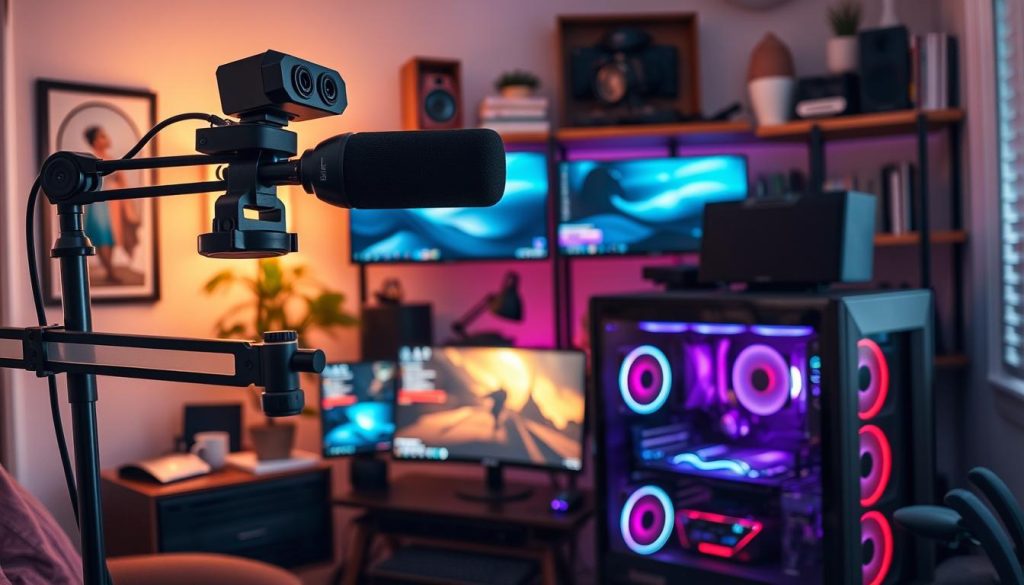
Your Twitch streaming setup starts with key hardware. You’ll need a desktop or laptop with 4GB RAM and a 4-core CPU. A webcam like the Logitech Brio, a Blue Yeti Nano microphone, and noise-canceling headphones are also crucial. Make sure you have stable internet, preferably Ethernet over Wi-Fi, to avoid drops.
Lighting kits and audio mixers like the Behringer U-Phoria 223 can improve your stream’s quality. They’re affordable and effective. This setup will help you create a professional-looking stream without spending too much.
For software, OBS for Twitch is a great choice. It’s free and lets you customize your stream. Riverside for streaming offers HD recording for $15/month. Twitch Studio streamlines native integration, making it easy to use.
Choose the best Twitch software based on your content. In OBS, set up zero stream delay in advanced settings. This keeps your viewers engaged and interested.
To start your Twitch channel, visit Twitch.tv/signup. Customize your profile with a bold banner and bio. Use Twitch’s channel customization tools to add logos and colors.
Enable 2FA to protect your account. Set up chat moderation with AutoMod to filter out bad messages. Adjust your stream title and tags to make it easier for people to find.
How to Start Streaming on Twitch: Step-by-Step Process
Starting your Twitch stream is easy. For desktop Twitch setup, log into Riverside.fm and create a studio. Then, add your Twitch stream key under settings. Adjust your audio and video, and click “record” to start your Twitch PC streaming.
Streaming from a smartphone? Open the Twitch app streaming interface. Tap the camera icon and choose “Go Live” for casual chats or “Stream Games” for mobile gameplay. Make sure you have stable Wi-Fi—Twitch suggests at least 3–6 Mbps upload speeds.
For iOS Twitch streaming, allow microphone and camera permissions to avoid audio dropouts.
Console streamers: Xbox Twitch streaming starts by linking accounts via the Twitch app. Enter your security code, then hit “Broadcast.” On PS4 Twitch streaming, press Share, select “Broadcast Gameplay,” and choose Twitch. For Nintendo Switch streaming, use a capture card to connect to a PC, then stream via software like OBS.
Remember to check your bitrate settings. Twitch advises 6000 kbps for 1080p streams. Stick to these guidelines to avoid lag. With these steps, you’re ready to join millions of creators sharing their passion on Twitch.
Building Your Twitch Channel and Growing Your Audience
Choose content that you’re passionate about, like gaming or lifestyle topics, for your Twitch content creation. While Grand Theft Auto V (119M viewer hours) and League of Legends (115M) are popular, your engaging Twitch streams will shine when you pick topics you love. Try out Twitch stream content like cooking or ASMR to find your unique niche.
“Audience engagement is one of the main reasons viewers watch live streams.”
Make sure your Twitch streams are top-notch with a solid Twitch technical setup. Use an Ethernet cable for better reliability than Wi-Fi. Adjust your settings to match your upload speed, like 720p60 for 5-6 Mbps. Test your encoding to avoid lag and ensure your
Boost viewer engagement Twitch with polls, themed days, and collaborations. Host giveaways or Q&As to get people talking. Promote your streams on email and social media (TikTok, Discord) to reach more people. Streaming regularly helps build a loyal following.
Qualify for the Twitch Affiliate program to start earning from ads and subscriptions. Once you’re in, use monetize Twitch streams through donations or merch sales. Top streamers make money through sponsorships, but first, focus on growing your community.
Strengthen your brand by attending events like TwitchCon or hosting community days. Making money on Twitch comes after building trust. Focus on stream performance tips and being true to yourself, not shortcuts. Consistency and quality are key to long-term success.
Conclusion: Your Journey as a Twitch Streamer Begins Now
Your Twitch streaming journey starts with the first “Go Live” click. It’s not about being perfect. It’s about showing up often and being true to yourself. Twitch’s community loves diversity, so let your personality shine.
Start with beginner tips like using OBS Studio or Streamlabs Desktop. Even with few viewers at first, keep going. Stick to a schedule, chat with your audience, and improve your setup with tools like the Elgato Wave:3 mic.
Don’t forget to lean on the Twitch streamer community for help. Work with other creators, join raids, and share tips. Remember, 30% of users chat actively, so reply to comments and appreciate every viewer.
Every pro streamer started where you are today. Focus on quality, not just how many viewers you have. Improve your audio, light your space, and stay true to yourself. Your journey to success on Twitch starts now. Press “Start Streaming” and begin your adventure.